1. Rental Planner
  2. Small hotels and guest houses

Room booking calendar for small hotels and guest houses

Every room and every guest on one screen. Check-ins, payments and cleaning between guests from your phone, without a paper log or spreadsheets.
4.9350+ App Store ratings

Booking calendar: Rental Planner

Everything a small hotel needs

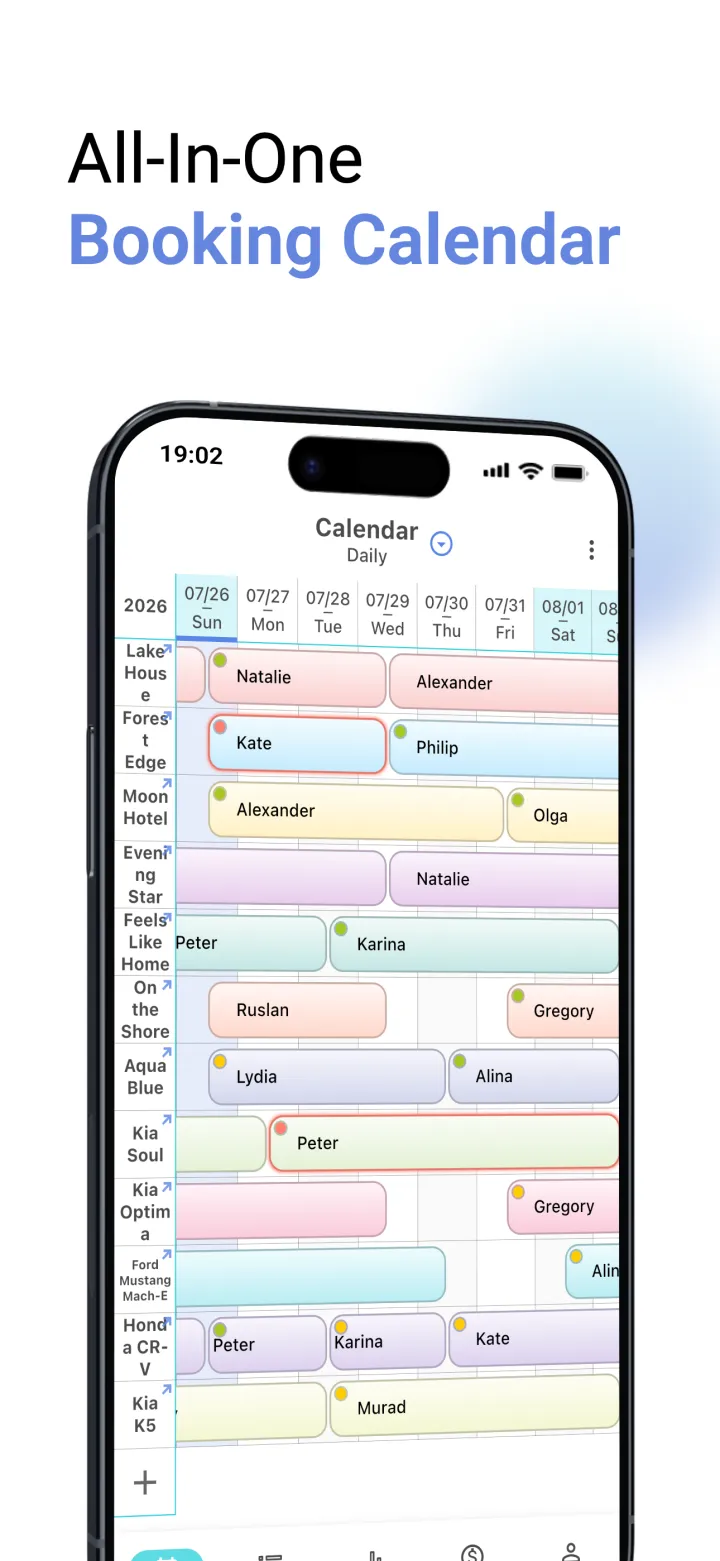
Room calendar

Each room is a separate row. See which rooms are free on any date without asking the front desk.

No double bookings

From the Basic plan, the app flags bookings that overlap by dates in the same room.

Airbnb, Booking.com and Agoda

On the Business plan, bookings from booking sites arrive via iCal, and your calendar blocks the occupied dates there.

Payments and deposits

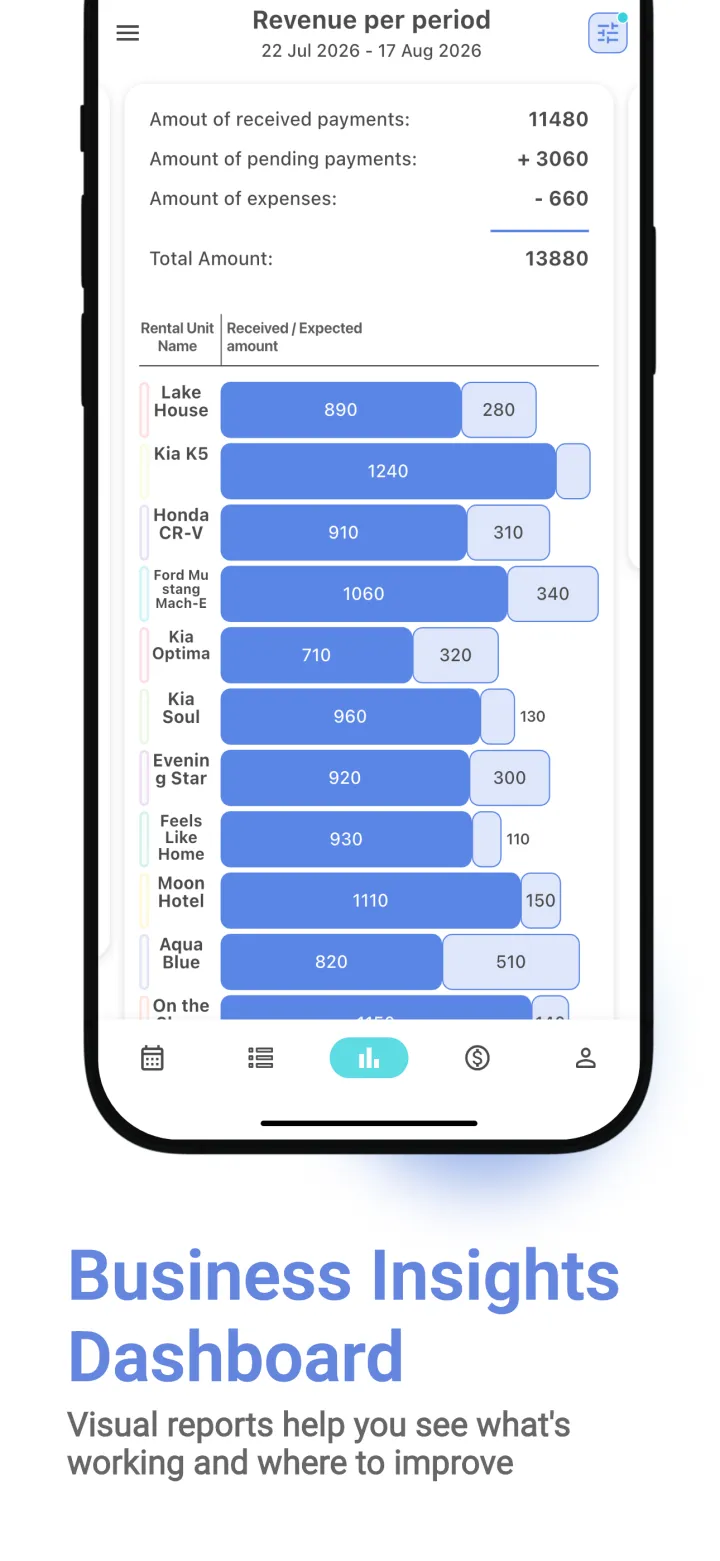
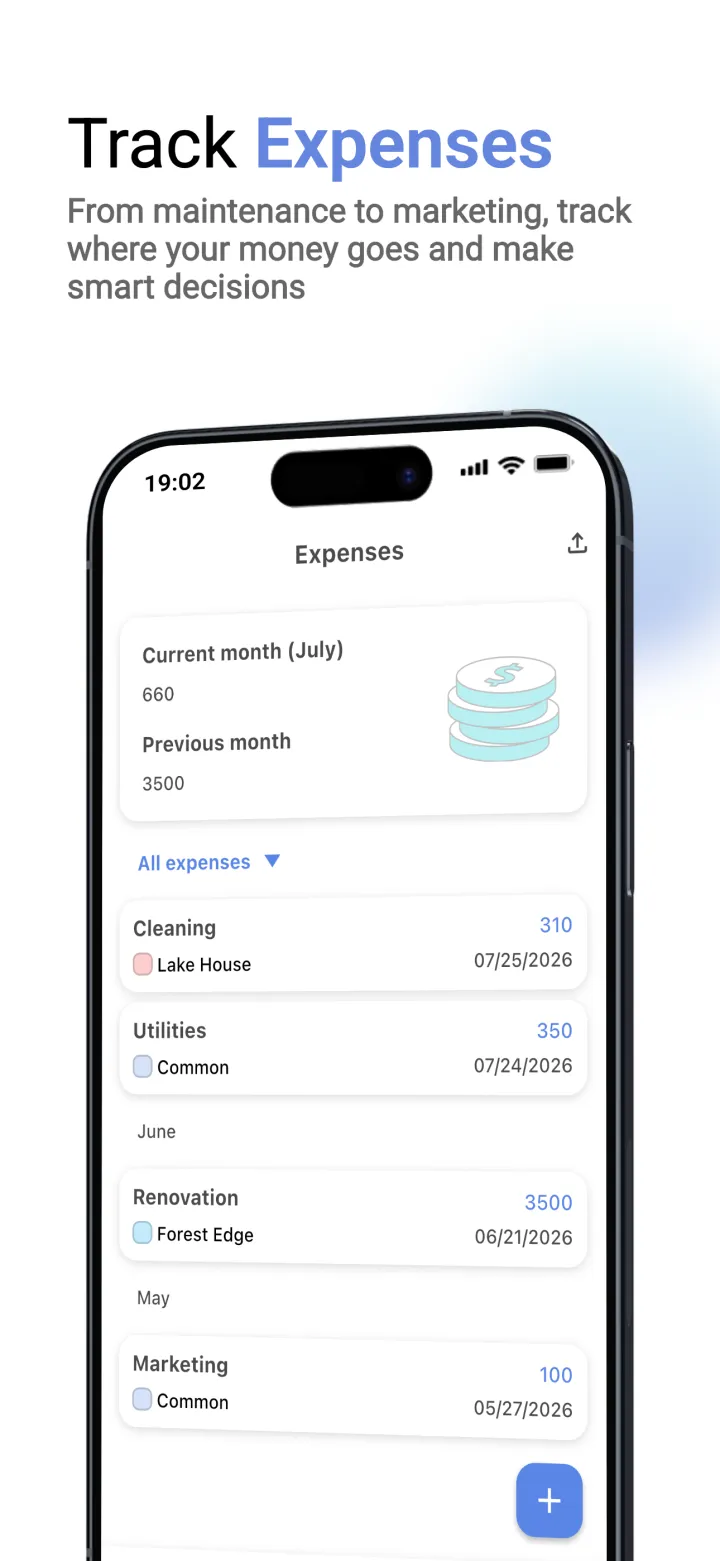
Prepayments, balances and deposits inside every booking. Revenue and expenses per room for any period.

Invoices for guests

On the Premium plan, send guests a PDF invoice with the room, dates, amount, deposit and a QR code with a payment link.

Front desk and staff

On the Business plan, add staff and choose what each of them sees: bookings, finances or guests.

How it works

  1. 1

    Add your rooms

    Each room or bed becomes a row in the calendar.

  2. 2

    Connect booking sites

    On the Business plan, paste iCal links from Airbnb, Booking.com and Agoda, and bookings from those sites arrive on their own.

  3. 3

    Check guests in

    Dates, guest, prepayment and deposit in one card, with check-in and check-out times for every booking.

  4. 4

    Watch occupancy

    Free rooms, plus revenue and expenses for every room over any period.
What small hotels use it for

Small hotels

Rooms as separate units. On the Business plan, the front desk sees bookings and the finances stay with the owner.

Guest houses and B&Bs

Houses and rooms in one calendar, cleaning between guests with a date and cost.

Hostels

Beds as separate units, so you can see how many places are free on any date.

Paper log and spreadsheets or Rental Planner

Paper log, spreadsheets and chats

  • Bookings in a paper log, spreadsheets and messengers
  • Asking the front desk which rooms are free
  • Blocking dates on booking sites by hand
  • Searching chats for payments and deposits
  • Counting revenue per room at the end of the month

Rental Planner

  • Every room and booking in one calendar
  • Free rooms visible from your phone
  • Occupied dates sync to booking sites via iCal
  • Prepayment, balance and deposit in the booking card
  • Revenue and expenses per room at any time

FAQ

Does it work for a small hotel or hostel?
Yes. Each room or bed is added as a separate unit, and all bookings are visible in one calendar.
How many rooms can I manage for free?
Up to 2 units with bookings for the last month, with no time limit. The Basic plan covers up to 12 units, Premium and Business are unlimited.
How do I connect Airbnb and Booking.com?
On the Business plan, open a unit, tap “Calendar sync” and paste the iCal link from the booking site. Bookings appear in your calendar within 20-30 minutes, then everything updates automatically.
Can the front desk use a computer?
Yes. The web version opens in any browser, and you can sign in with a QR code from the app. The data is shared with your phone.
Can I send the guest an invoice?
Yes, on the Premium plan: a PDF invoice with the room, dates, amount, deposit and a QR code with a payment link.
Is there a free version?
Yes. The Free plan has no time limit: up to 2 units, the calendar, bookings, blocked dates and the web version.

Ready to bring order to your rentals?

Download the app and add your first units. It's free.

Get the app

Point your phone camera at the code to get the app

or open the web version